Exporting data
Admin accounts can export any list to a CSV spreadsheet: leads, clients, matters, contacts, organisations and tasks.
How to export
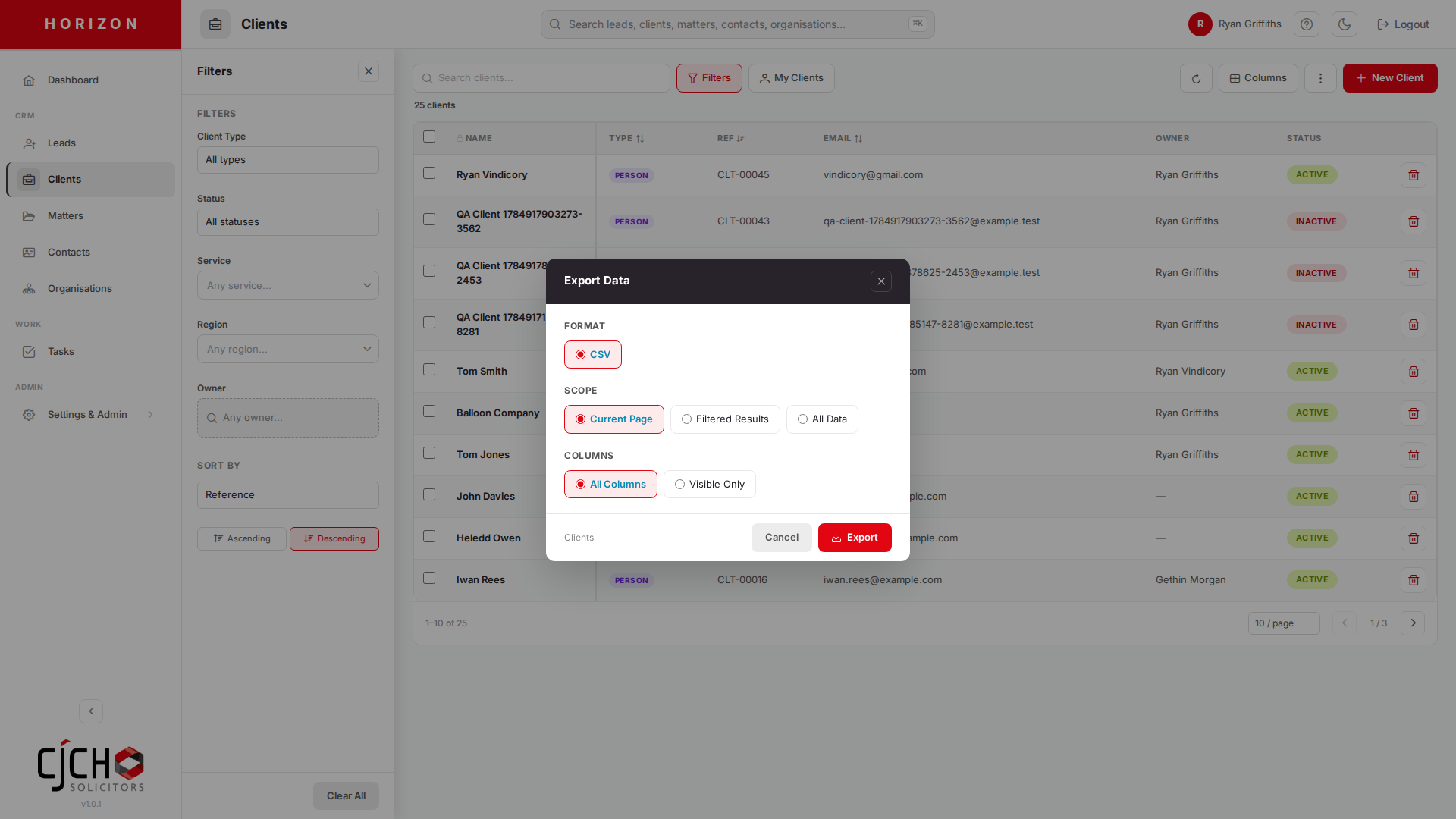
- Open the list and apply any filters first, so the export contains only what you want.
- Click the more (⋯) button in the list toolbar and choose Export Data.
- Choose the scope: the current page, the filtered results or everything.
- The CSV downloads with the record type, date and scope in the filename, and opens in Excel.
Data care: an export leaves Horizon's access controls. Store exported files in the firm's approved locations and delete copies you no longer need.
Run sheet C7 · Export a list to a spreadsheet has the tick-list version.
CJCH Horizon — Admin Guide
Guide home