Everyday basics
The tools shared by every list and record in Horizon: search, filters, exports, the recycle bin, notes and files.
Search
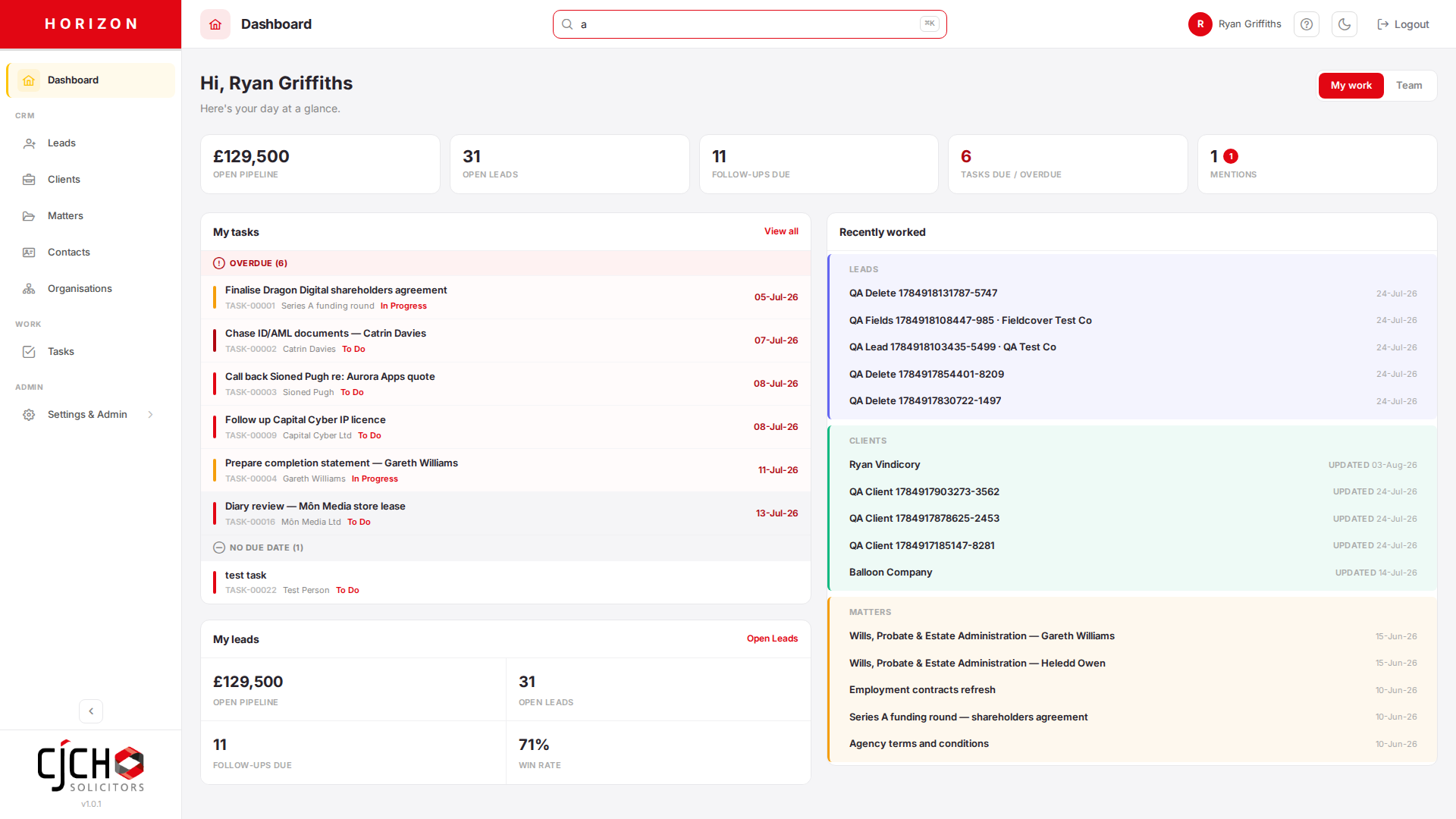
The search box in the top bar finds records across the whole app: leads, clients, contacts, organisations and matters at once. Type a name or reference and pick from the grouped results.
Working with lists
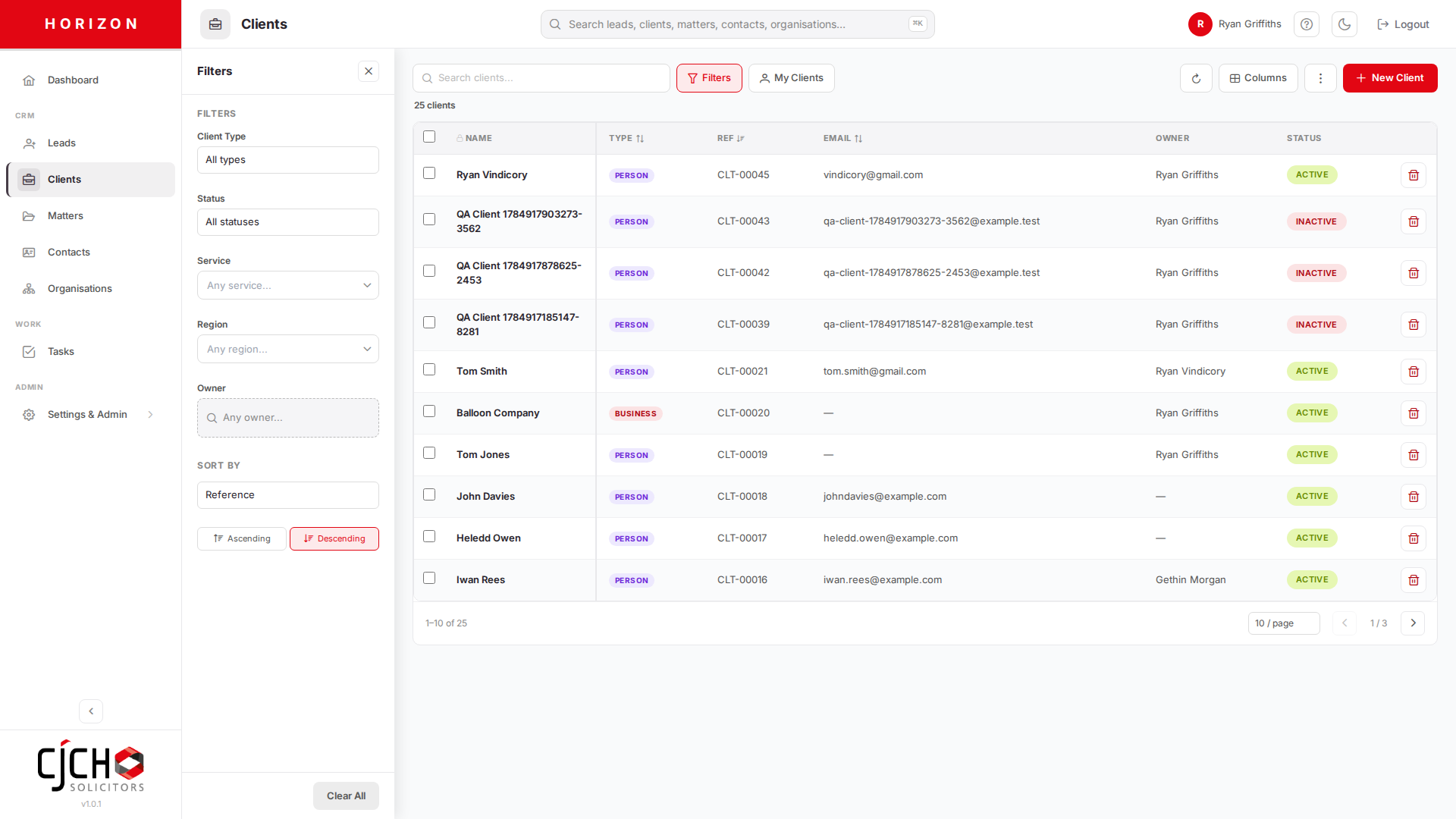
Leads, Clients, Matters, Contacts, Organisations and Tasks all share the same list tools:
Filter and sort
- Each list has its own search box and a filter panel with dropdowns relevant to that record type (stage, service, region, owner and so on).
- Quick toggles such as My Leads or My Tasks narrow a list to records you own.
- Use the column chooser to show or hide columns; the list remembers your setup.
Bulk actions
Tick the checkbox on several rows and an action bar appears. Depending on the list, you can change status for all selected records at once or delete them together.
The recycle bin
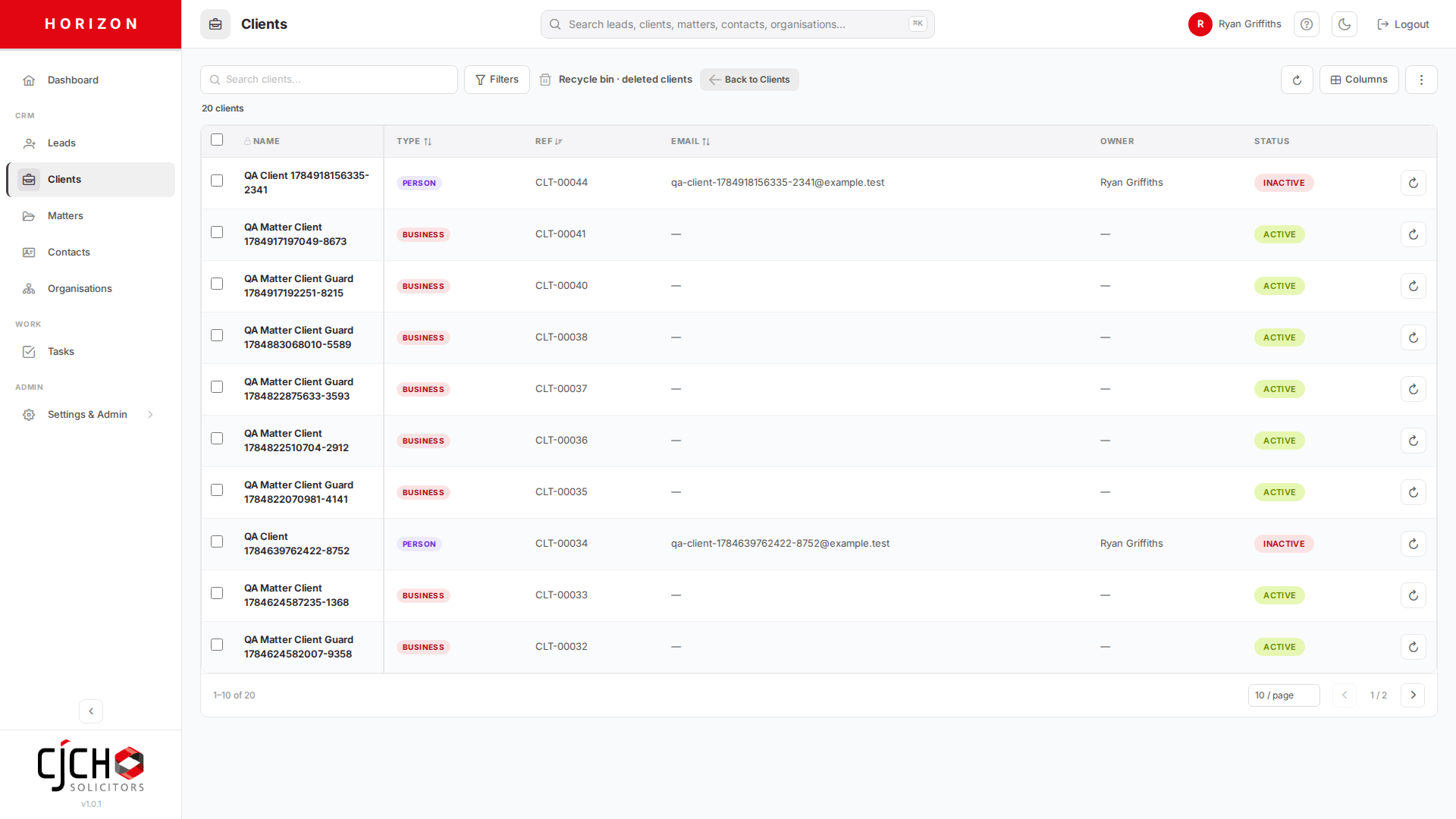
Deleting a record moves it to that list's recycle bin rather than destroying it. From the bin you can:
- Restore a record (individually or in bulk) back into the live list.
- Delete permanently, which cannot be undone.
Notes & mentions
Every lead, client, matter, contact and organisation has a notes panel. Notes are the running commentary on a record: calls made, decisions taken, things to remember.
- Type @ followed by a colleague's name to mention them. They will see it in their Mentions feed and the dashboard "Mentioning me" widget.
- Notes show who wrote them and when, and form part of the record's history.
Files
Records have a Files tab where you can upload documents, images and correspondence. Files show as a list or thumbnail gallery, and stay attached to the record for anyone with access to see.