Leads
Leads are potential new clients or matters before the firm takes them on. This page tracks every enquiry from first contact to won or lost.
The pipeline
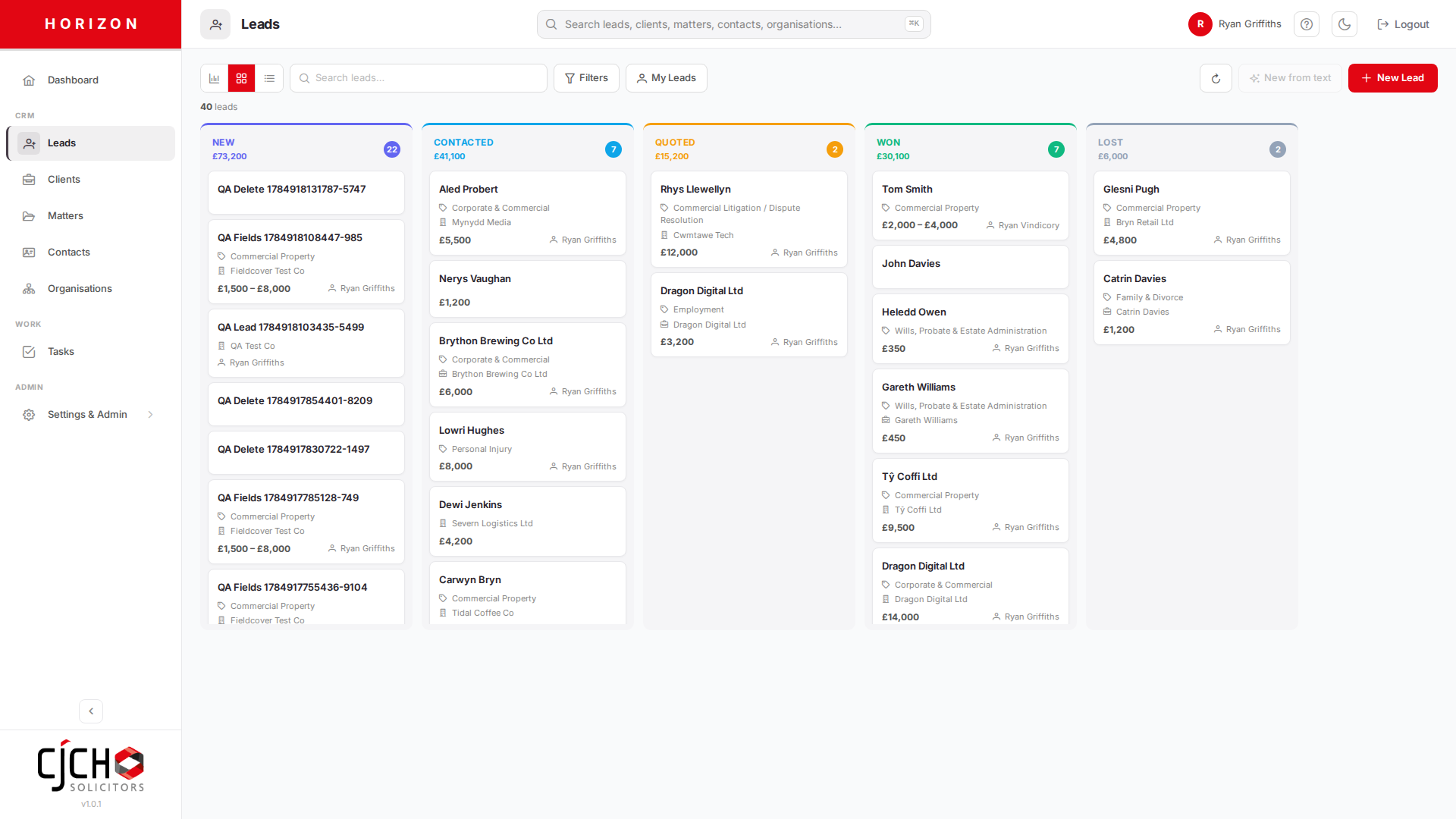
Every lead sits in one of five stages:
Three views
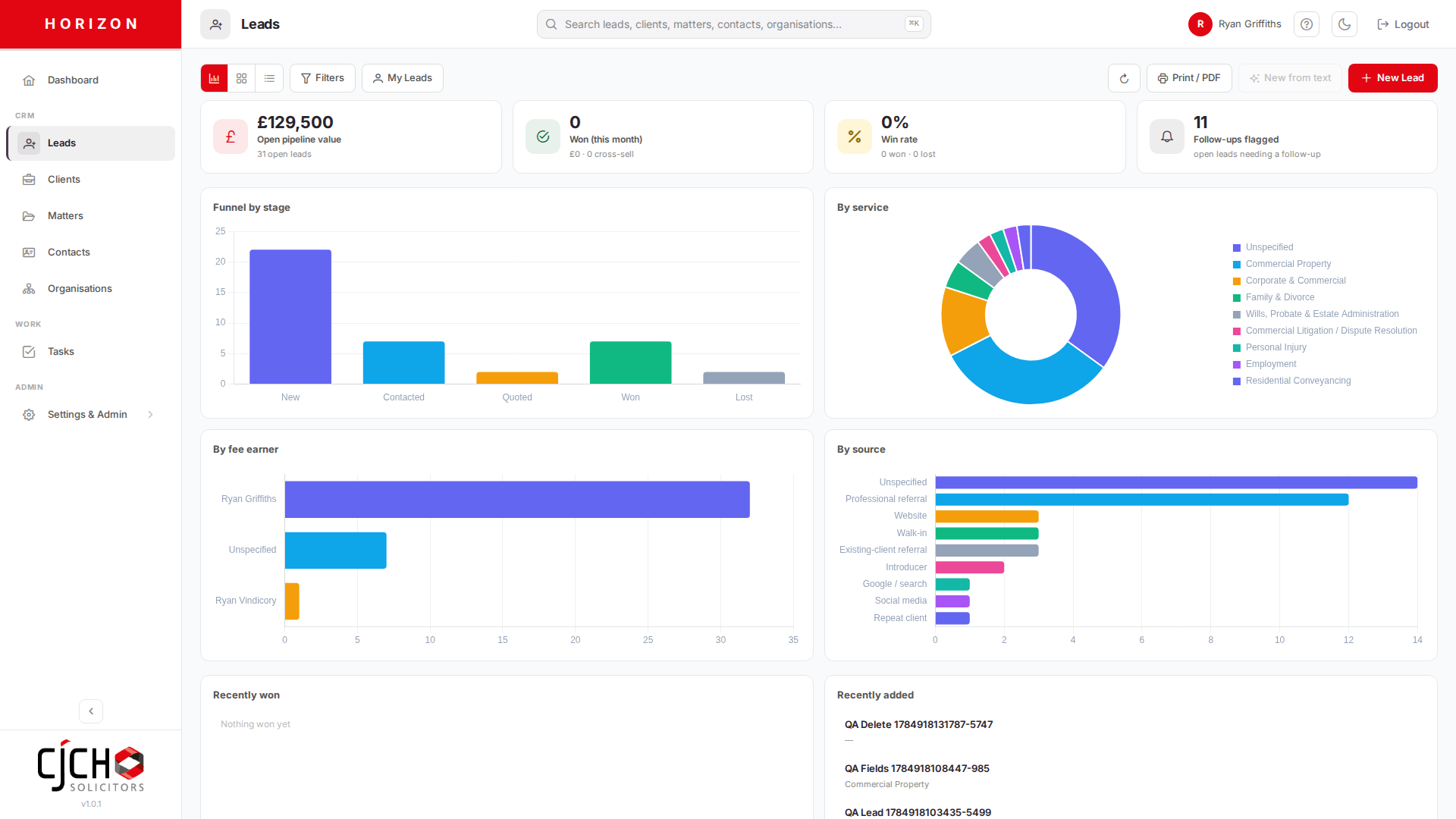
- Pipeline — a kanban board. Drag a card between stage columns to move it.
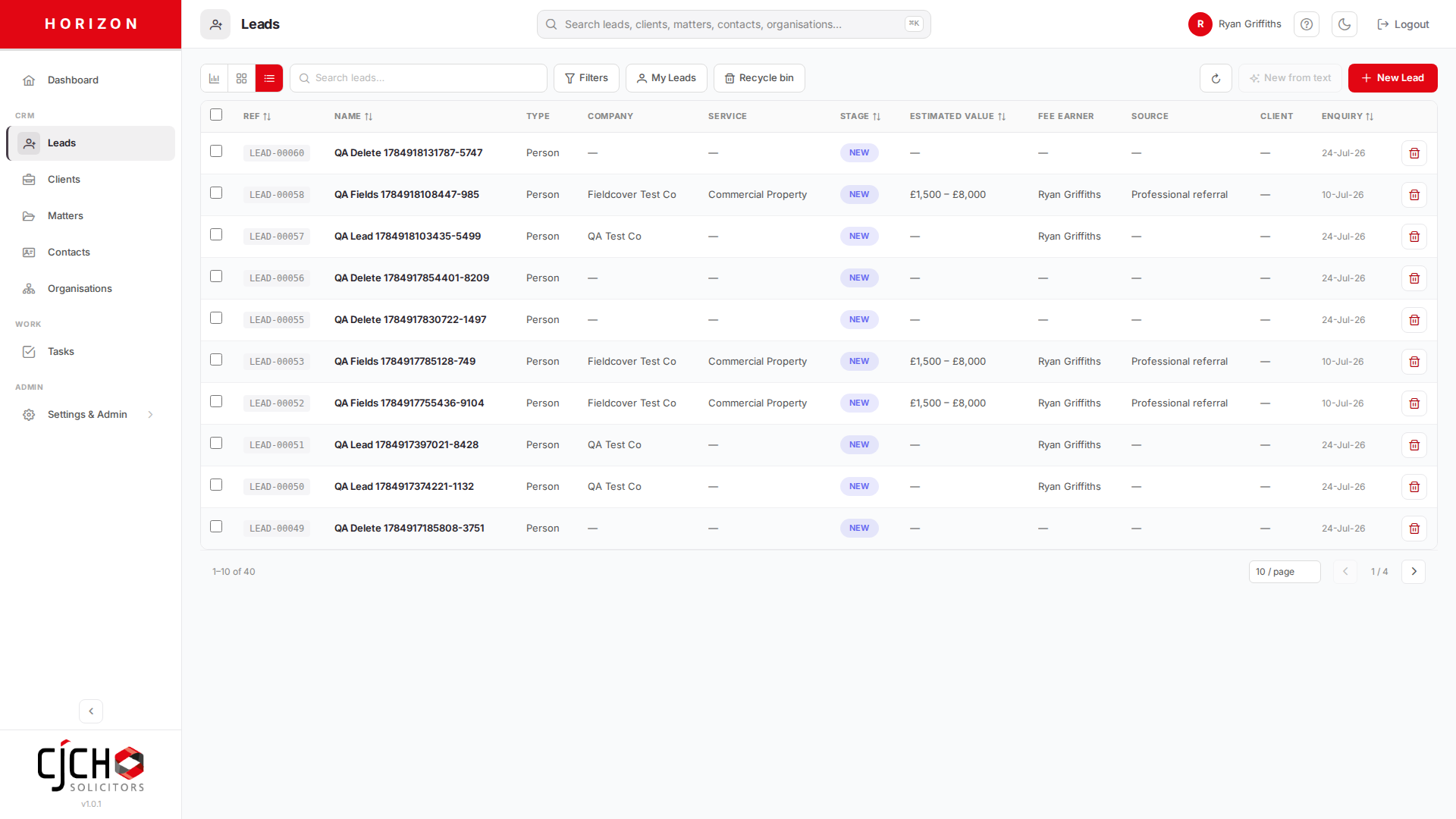
- List — a table with the full filter, column and export tools.
- Dashboard Manager+ — funnel figures and charts by stage, service, fee earner and source, with recently won and recently added leads. It can be printed to PDF for meetings.
Standard users see the leads they own; managers can filter by any owner and see the whole team's pipeline.
Add a lead
Click New Lead and record the enquiry: person or business, contact details, service, source, region, estimated value, fee earner (owner) and a follow-up date.
Run sheet B1 · Record a new enquiry covers this step by step.
Win a lead
Drag the card to Won (or open the lead and click Convert). Horizon first checks for an existing client that matches, so you can link to them instead of creating a duplicate; otherwise it creates the client, and the matter, for you. The lead keeps a record of when it converted and which client it became. See run sheet B3 · Convert a won lead.
Lose a lead
Drag the card to Lost (or click Lose) and give a short reason. Recording why enquiries are lost is what makes the win-rate and source figures meaningful. See run sheet B4 · Record a lost lead.
Inside a lead
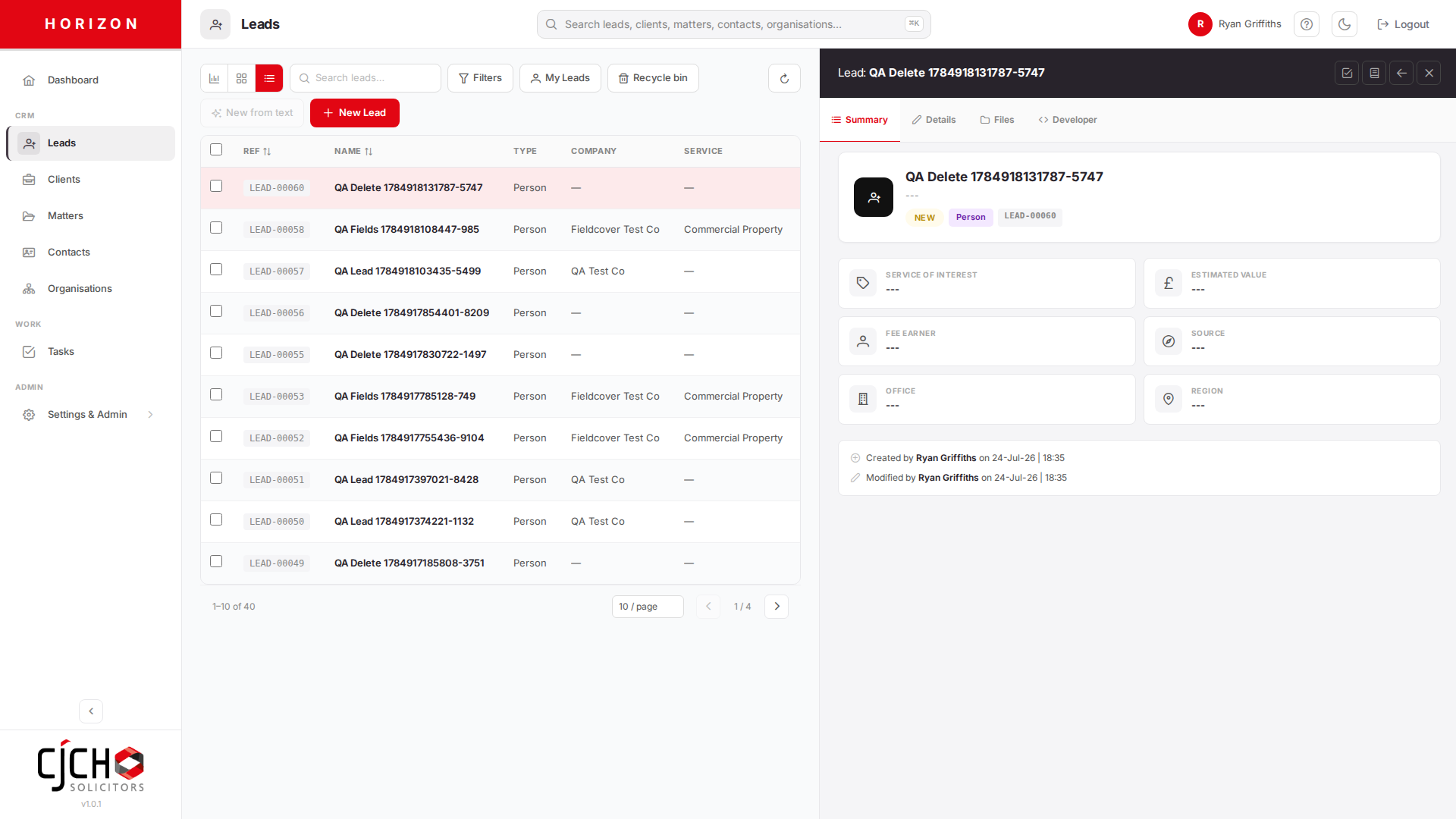
Click any lead to open its detail panel: enquiry details, quote value, fee earner, source and follow-up date, with tasks, notes and files against the lead.